
BloomMD journal
Why BloomMD has two tools instead of one large CLI
OpenClaw agents should stay simple to install, while local Wiki and CI workflows still need a dependable tool.
A terminal tool can easily become a catch-all: one command for local files, another for Wiki bundles, another for agents, another for operations. That is convenient during development, but confusing for people. Do I need to install it to use BloomMD? Does my OpenClaw agent need to know a second app? Where does the token live?
BloomMD deliberately separates those questions.
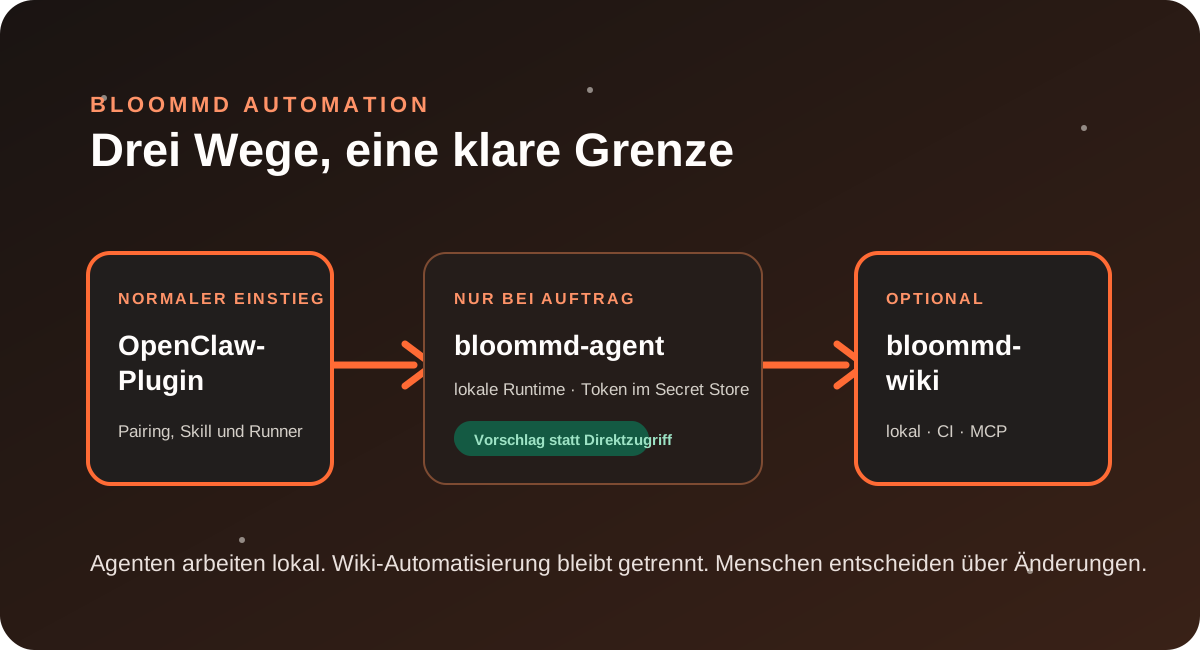
The plugin remains the simple agent entry point
Anyone inviting an OpenClaw agent into a workspace installs the BloomMD plugin. The plugin contains everything that flow needs: pairing commands, local secret storage, the node-scoped skill and the runner. After pairing, the runner claims only its own tasks. Without a task, no model turn takes place.
The important part is that this normal path does not require a second BloomMD binary to find, download or maintain. The plugin is the contract between OpenClaw and BloomMD.
bloommd-agent: deliberately for controlled automation
The agent runtime still exists as a separate native tool. It is useful when an operator wants to diagnose a runner, configure a controlled cron, or integrate the runtime into their own infrastructure.
Its job is narrow: read a pairing code from a private file, keep the token in the operating-system secret store, claim exactly one assigned task and return the result as a proposal. It cannot write a workspace file directly.
So it is neither a second agent service nor a path around review. It is the runtime behind a clear safety contract.
bloommd-wiki: local, deterministic and model-free
Wiki work is a different case. A local Markdown check or an OKF Wiki lint needs neither OpenClaw nor model access. bloommd-wiki can check a folder, report Wiki status, prepare a reviewable proposal or provide tools to a local MCP client.
This matters especially in CI: the workflow remains reproducible even when no model is available. Write operations are explicit; apply requires named approval and checks sources again before writing.
Two binaries, one traceable release
Both tools are built as native Bun single binaries for Apple Silicon macOS plus Linux x86_64 and ARM64. Releases include SHA-256 checksums. That makes it possible to pin an infrastructure version without needing a repository checkout or global Bun installation.
The separation also makes updates safer to understand: an update to the Wiki tool does not change the installation path for an OpenClaw agent. A plugin release remains a plugin release. In the product UI, the current work stays clear: node, proposal, human decision.
Keep the simple path simple: install the OpenClaw plugin. For CI, MCP and local processes, use the command-line tools.