
BloomMD journal
Share one local Markdown file — without sharing the folder
Shared Mode connects one deliberately selected local file to a BloomMD workspace and keeps boundaries, roles, and states visible.
Local Markdown files are often valuable precisely because they live in a personal folder, vault, or Git repository. Collaboration should not erase that boundary. Discussing one chapter should not mean uploading an entire vault or passing copies around by email.
BloomMD Shared Mode respects the boundary: you deliberately share one file with one workspace. Not the folder. Not every Markdown file. Not the local path.
The sharing moment is visible
The flow begins on an open local file in the Desktop app:
- Choose Share this local file.
- Select an existing server profile and workspace.
- Review the proposed cloud filename.
- Confirm the share.
Only the final confirmation creates the cloud document and binds it to the local Markdown file. The server receives the workspace ID, cloud document ID, and cloud filename. Your local path, folder name, and neighbouring files remain local.
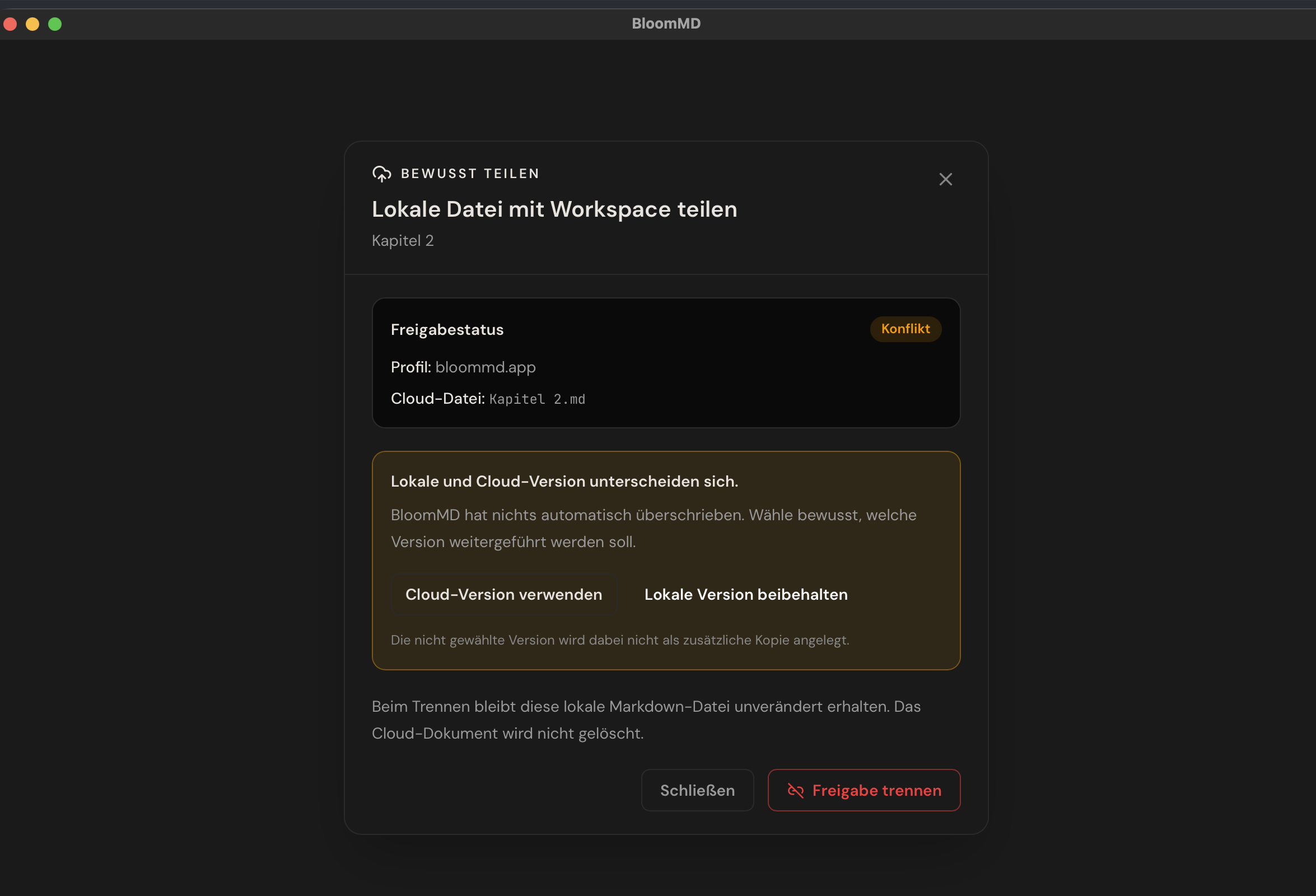
Verified BloomMD Desktop screenshot: a conflict never overwrites either version automatically. The person deliberately chooses which version continues.
That deliberate choice has a practical consequence: a book vault can stay local while only
chapter-3.md is shared for editorial review. A project folder can stay in Git while only a decision
document becomes collaborative.
Status helps you decide instead of diagnose
Sharing needs a clear next step. The file therefore carries a visible state:
- Connected: the local file and cloud document are actively mirrored.
- Offline: the local file remains readable and editable; reconnect before relying on shared work.
- Conflict: the local and cloud versions differ. BloomMD does not overwrite either one silently; it asks for deliberate review.
- Access revoked: workspace access is no longer valid. The local copy remains, but cannot write back.
A conflict is not a hidden sync failure. It is a guardrail: the app makes clear that two diverging versions must not simply be merged without review.
People receive roles, not just a link
Sharing a file uses a workspace. Roles determine what people can do there: owners invite members, change roles, and revoke access; editors edit; viewers read. Revocation is not only cosmetic. New document and sync tickets are rejected server-side. The last local file is unaffected.
Desktop, browser, and Obsidian can refer to the same file
When the file was already shared from Desktop, the matching Obsidian note does not need to create a second cloud document. In the Obsidian dialog, choose bind existing file instead. Desktop, browser, and Obsidian then use the same sync room. The binding stores cloud-document data, not the vault path.
Disconnecting is not deleting
Disconnect share removes the link between the local file and cloud document. Both documents remain. That is intentional: a workshop can end without destroying the local working copy or the shared history.
Read the full flow, roles, and recovery cases in the collaboration guide. Get the Desktop app from Download.