
BloomMD updates
BloomMD Desktop 0.5.13: reliable saving for new mind maps
New files keep their edits. The folder overview displays matching file and heading titles only once.
Open a folder, create a file, add nodes and save: delayed updates from the folder overview or file watcher could interrupt this workflow. Newly entered nodes could disappear from the view. Desktop 0.5.13 fixes both causes. New files remain active while you edit them, and saving writes their nodes to the Markdown file.
The folder overview is now read-only. To edit a file, select it and choose Open resource, or open it through the file browser. If another application saves changes while you are editing, BloomMD preserves your unsaved edits and displays a conflict message. Files without local edits still reload automatically when changed externally.
Matching titles no longer appear twice: when the file title matches a single top-level heading, the folder overview combines them into one file node. In this example, “Digitaler Avatar” appears once above “Rolle”, “Name” and “Icon”. This does not change the Markdown file itself. Different titles and multiple top-level headings remain separate.
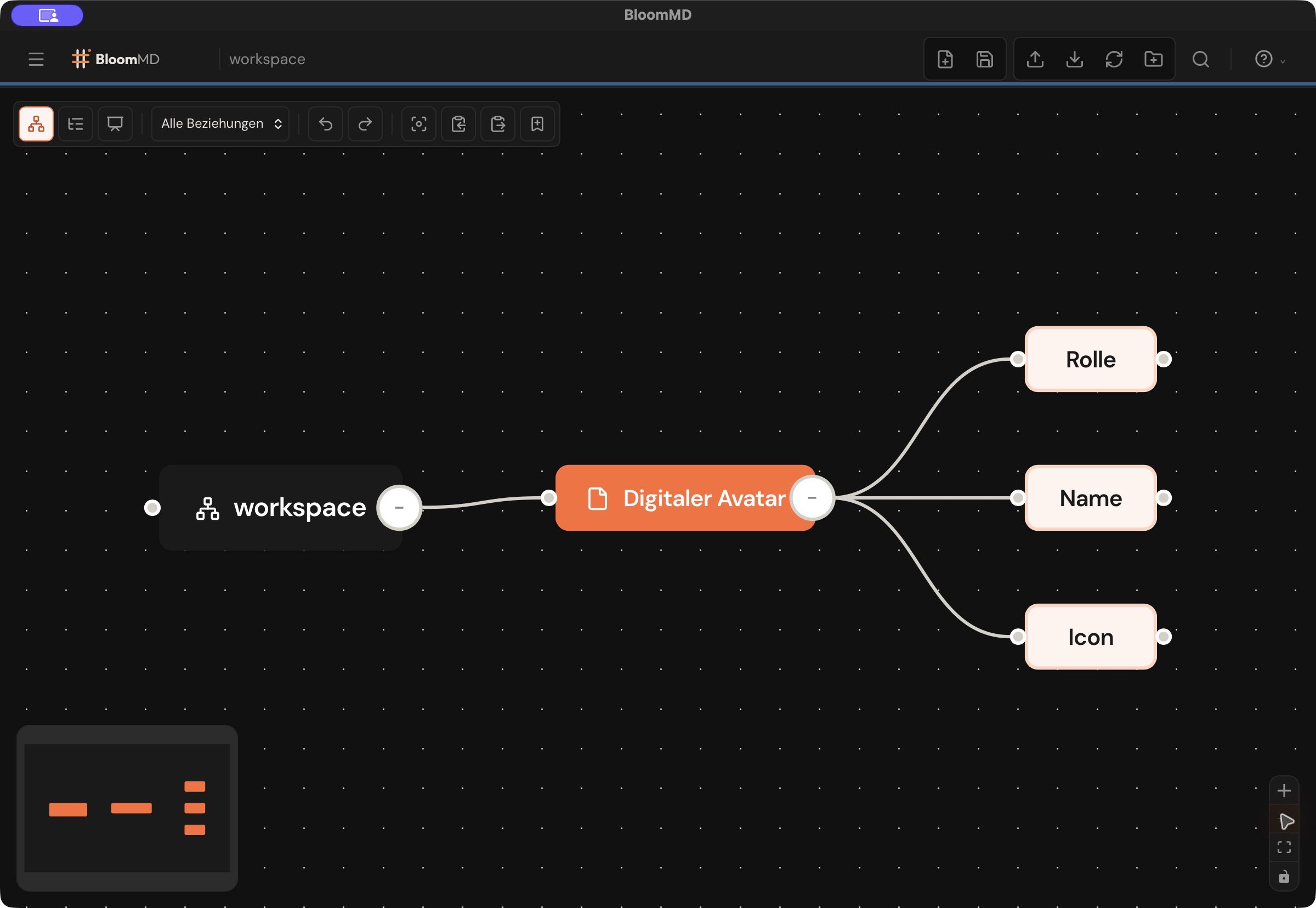
The workflow was tested automatically using real temporary Markdown files, and in the native macOS app, including saving, reopening and restarting.
Update through Help and settings → About BloomMD → Check for updates, or install the current build from the download page. Updating cannot recover nodes that were already lost before they were ever saved.
Source: https://github.com/moellenbeck-digital/BloomMD/releases/tag/v0.5.13