
BloomMD journal
A knowledge workflow with BloomMD
How notes, headings and visual orientation become a repeatable knowledge workflow.
The hardest phase of a knowledge project is often not writing. It is the moment when many separate thoughts need to become a structure. Notes are spread across places, important questions are hidden between details and the next useful step is not obvious.
A good workflow therefore needs to do two things at once: capture quickly and find things reliably later. BloomMD combines Markdown as the source with a visual map for orientation. The content stays in the document while the structure becomes visible for thinking and navigation.
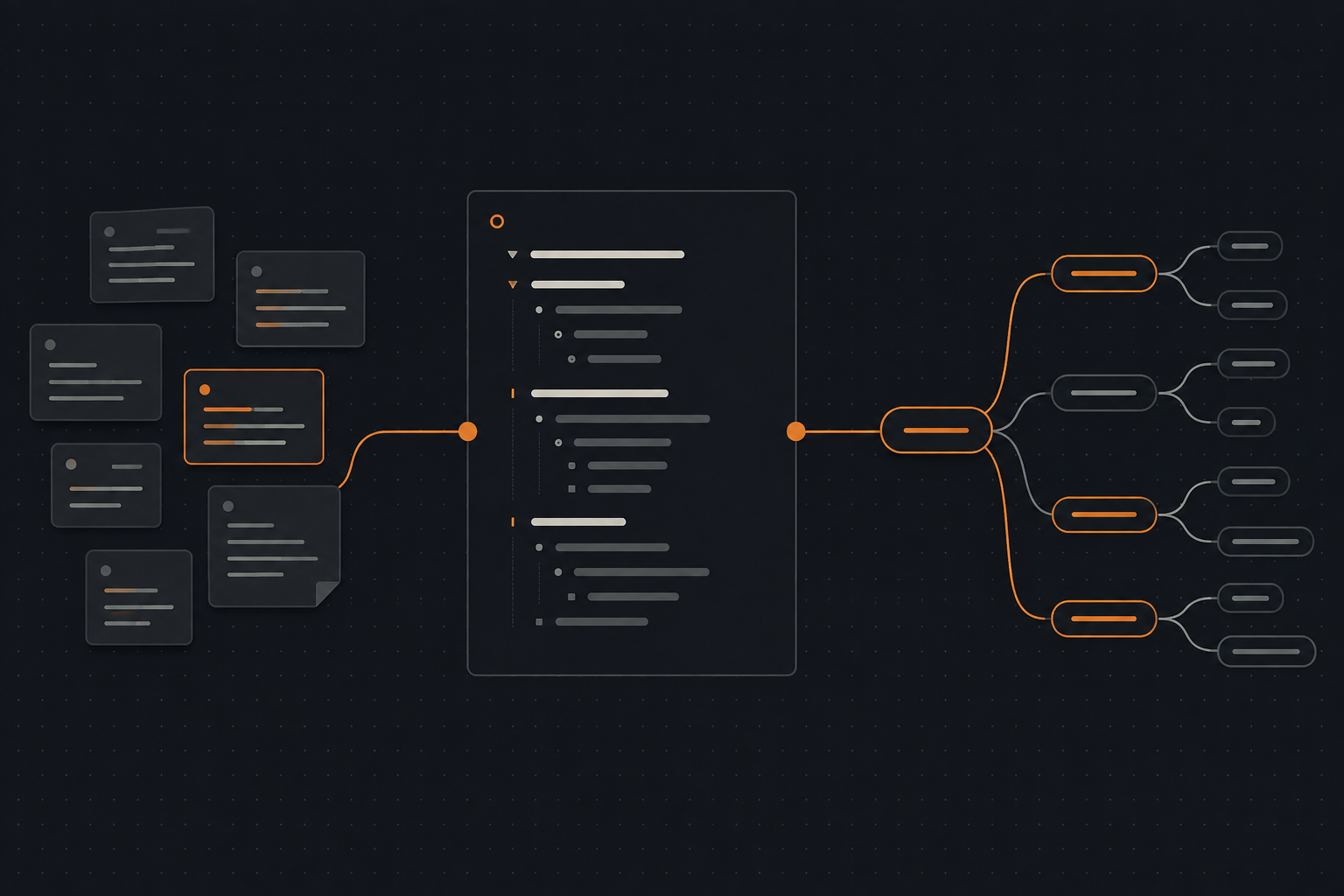
From the first thought to visible structure — without interrupting the writing flow.
1. Capture without organizing too early
At the beginning of an idea, completeness matters more than perfect order. A short note, a question or a bullet point may become valuable later. When every detail has to fit the final structure immediately, speed is often the first thing to disappear.
Markdown works well for this first step because it creates little friction. Headings, lists and short paragraphs are enough to capture thoughts. The text remains readable even when the structure is still provisional.
A simple starting point might look like this:
# New project
## Observations
- What do we already know?
## Open questions
- What do we need to check?
## Next steps
- Who does what by when?
The file does not need to be a finished concept yet. It only needs enough structure for you to return to it later.
2. Make the structure visible
As the file grows, a linear view remains useful for writing. It does not always make the relationships between sections easy to see, though. BloomMD turns headings into a map and gives the document a spatial orientation.
You can see more quickly whether a section has many subtopics, whether an idea is isolated or whether an important question still has no place in the overall picture. This is not an automatic quality check. It is an additional view that helps you examine your own thoughts.
That change of perspective is valuable for concepts with several levels: the file keeps the details while the map shows the relationships.
3. Focus instead of searching
Large documents create a familiar problem: you know information exists, but not where. A map can reduce the search space. Start at the main topic, open the relevant branch and move only as far as the current task requires.
This also changes the working rhythm. Instead of constantly switching between files or browser tabs, you stay inside the knowledge space. A node can become the starting point for the next section while the surrounding structure remains visible.
4. Revise with a clear next step
An effective working view should not only show what already exists. It should also make the next action easier. After reviewing a map, it is simpler to spot open questions, oversized sections and missing intermediate levels.
For a revision pass, three questions are useful:
- Is the main topic clearly named?
- Do the subtopics really belong together?
- Is there an area that still needs a decision or next step?
The answers can flow back into Markdown. The map remains connected to the actual writing process instead of becoming a presentation copy.
5. Make the workflow repeatable
The main benefit appears when this process works more than once. A repeatable workflow can be used for project plans, technical documentation, research or personal knowledge collections:
- capture thoughts quickly in a Markdown file;
- organize them roughly with headings;
- open the map for orientation;
- work on one area with focus;
- leave open questions and next steps visible;
- save, version or share the file.
BloomMD then becomes a regular step between writing and revision, not another place where information has to be stored.
An example: from an idea to a plan
Imagine preparing a workshop. You first collect the goal, participants, topics and questions in a simple file. The right order is not clear yet. After opening it in BloomMD, you notice that two topics share the same subtopic and that one important question has no place of its own.
You do not move the information into a second tool. You improve the headings and add short notes where they will be needed later. The map then helps you check whether the flow makes sense. For an invitation or the actual session, you can read the same file linearly again. The visual view supports several phases without turning each phase into a separate data set.
A small check after each round
After a working session, everything does not have to be perfect. It is enough to keep three things visible: What has been decided? What is still open? What is the next concrete step? These questions can live as their own subsections in the file and become visible in the map as well.
This turns a document into more than a knowledge store; it becomes a support for ongoing work. When you open it again, you do not need to reread everything to get started. The structure shows which area mattered last and where the next session can continue.
When a map helps most
Not every document needs a visual view. For short linear text it may be unnecessary. Its value increases when many sections, dependencies or open questions come together:
- planning a project;
- designing software architecture;
- building a knowledge collection;
- writing a longer text;
- preparing a team workspace.
The map is not a replacement for good content. It helps you see, review and develop the content you already have.
The next step
Do not start with a perfect file. Pick one that is becoming hard to navigate. Open it in BloomMD and see which area needs your attention next.
From thought to structure: try the demo, open the documentation or download the desktop app.
A useful knowledge workflow does not have to be complicated. It needs a reliable source, a clear next action and a view that helps you keep your bearings.