
BloomMD journal
Using BloomMD and Obsidian together
How Obsidian and BloomMD provide different views of the same Markdown knowledge space.
Obsidian and BloomMD do not have to be competing places to store information. Both can work with Markdown, but they solve different problems. Obsidian is strong at writing, linking and organizing a vault. BloomMD makes a document’s hierarchy accessible as a visual map.
The shared foundation is the file. When Markdown remains the source, one tool can handle daily maintenance while the other helps with overview and navigation. That is more useful than a complete replacement: an existing vault does not have to be abandoned to gain another perspective.
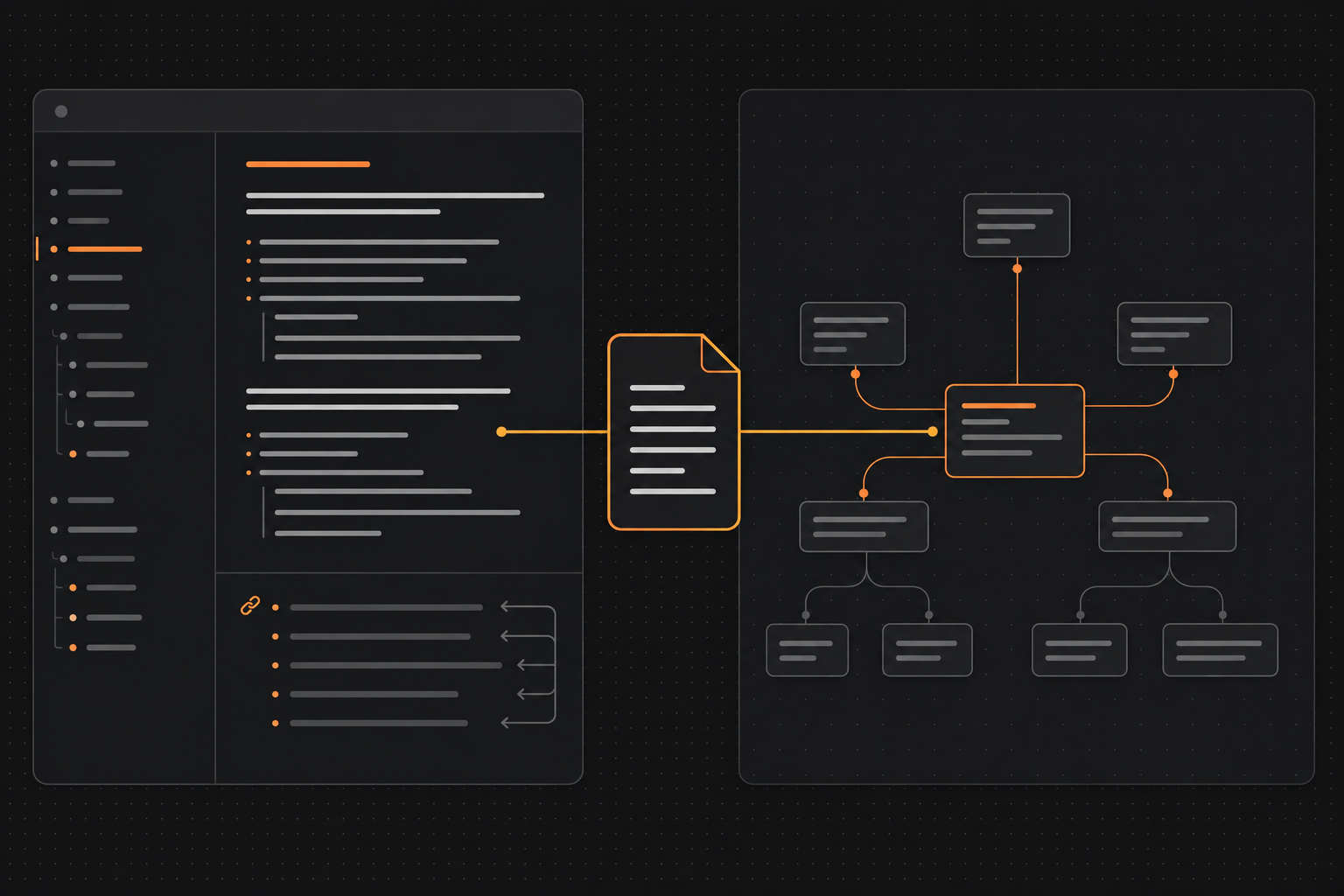
Two ways of working, one portable source.
Two views, one source
A Markdown vault often contains more than isolated notes. It includes topics, projects, concepts, drafts and cross-references. Obsidian helps write and connect that material. BloomMD focuses on the outline of a document: which heading is above another, which sections belong below it and where the current focus sits.
The roles can therefore stay distinct:
- Obsidian is the daily writing and linking space.
- BloomMD is the visual workspace for hierarchical Markdown structures.
- Markdown remains the portable source between both tools.
There is no need to do everything in one interface. A text can be drafted in Obsidian, checked structurally in BloomMD and then continued in the editor that fits the next task.
When BloomMD adds another perspective
Obsidian can show relationships between notes. BloomMD emphasizes something different: the internal structure of one Markdown file or a selected workspace area.
That is particularly useful for documents that behave like small knowledge spaces:
- a technical architecture with several levels;
- a book or article outline;
- a project plan with goals and work packages;
- a research note with questions, sources and results;
- team documentation with ownership and next steps.
In these cases, the question is not only “Which file is linked?” It is also “How is this document organized, and where does my current thought belong?” A map can answer that faster than a long page of headings.
A possible shared workflow
A practical workflow might look like this:
- Maintain your Markdown files and vault in Obsidian.
- Open a larger document or suitable folder in BloomMD.
- Use the map to spot structure, gaps and oversized sections.
- Edit details where the respective editor fits best.
- Continue to version or back up the Markdown files themselves.
The benefit is not that every change has to be visible in two interfaces at exactly the same time. The benefit is that both tools can use an open format while keeping their strengths.
What matters in the connection
A good integration should make its boundaries clear. A plugin should not silently create a second database next to the vault. Settings, view state and Obsidian-specific UI can stay in the plugin; shared Markdown and structure logic should remain central and traceable.
The interaction should also stay simple. Opening a file or folder should be the starting point, not a complicated import process. People should always be able to see which file is open and where changes are written.
For teams, it also matters whether a document is opened locally or through a synchronized workspace. That choice should be visible instead of depending on which app opened the file last.
Replace Obsidian or complement it?
For most workflows, complementing is the better approach. Obsidian offers an established vault and plugin workflow. BloomMD adds a focused visual layer for Markdown structures and can concentrate on orientation, map navigation and fast work.
A replacement would make sense only when someone needs the BloomMD map and little else. People who already built a vault benefit more from a connection that respects their files and does not require a migration.
Start with a small document
The best first connection is not an entire vault, but a manageable document with a clear purpose. An architecture draft, a workshop plan or a longer article is enough to experience the difference between linear and visual orientation.
Once the workflow works, add another area. This keeps it clear which role the map really plays and which information is better left in the existing Obsidian workflow. A useful integration grows from a concrete benefit, not from trying to rebuild every view at once.
Make the boundaries explicit
The connection is strongest when each tool keeps its role. Obsidian is not automatically the best interface for every kind of visual navigation, and BloomMD does not need to rebuild every feature of a full vault system. A document can be written in Obsidian while BloomMD helps review its structure. Conversely, not every small note needs to be opened as a map.
File organization still matters too. Meaningful filenames, clear headings and a reliable folder structure help both applications. When content is unclear, no integration can solve that completely. It can make the ambiguity visible sooner and provide a useful reason to improve it.
The next step
Start with a document you already maintain in Obsidian and whose structure is becoming harder to navigate. Do not compare every feature first. Ask whether BloomMD gives you a better answer to: “Where am I in this knowledge space, and what should belong together next?”
Two tools, one source: learn more about the Obsidian integration, try BloomMD in the demo or open the documentation.
The best connection is not the one that duplicates the most features. It is the one that keeps Markdown visible and mobile as a shared foundation.